
Las Cruces Sun News
USA TODAY Co.News & Magazines
3.782.00 Reviews
- Version
- 8.10.3
- Installs
- 10.00K
- Age Rating
- Everyone 10+
Screenshots


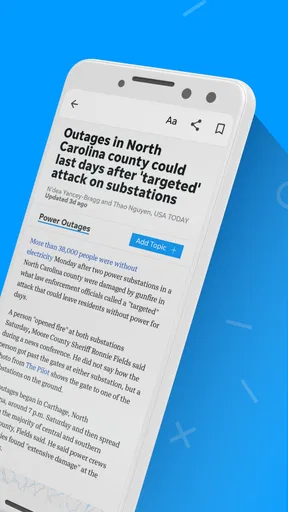




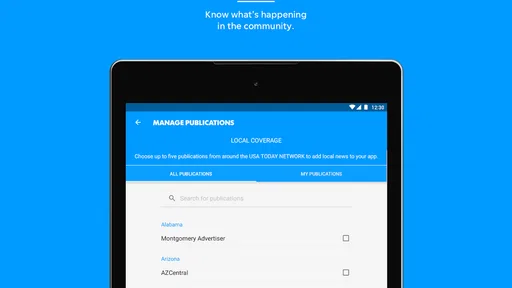
Our Review of Las Cruces Sun News
 Analysis by Appyee
Las Cruces Sun News is the kind of news app I would install when I want a local connection rather than a broad national feed. It focuses on Las Cruces coverage while also bringing in wider news, photography, and video, so its value depends heavily on how closely your daily interests match that mix. After spending time with it, my impression is straightforward: it is most useful as a focused local-news companion, not as the only news source on a phone.
The app comes from USA TODAY Co. and sits in the News & Magazines category. It is free to install, with optional in-app purchases ranging from $9.99 to $69.99 per item. That combination makes the first download easy to try, but it also means I would pay attention to what appears behind any subscription or purchase prompt before committing. The store places it in the Everyone 10+ age group, and the current version is 8.10.3.
Getting past the first points of friction
The most common difficulty with a local news app is not finding an article; it is understanding what the app expects from you when you first open it. A reader may be looking for neighborhood reporting, while the front page may also present national stories, visual features, and video. I found it helpful to treat the opening screen as a starting point rather than a complete picture of the publication.
Las Cruces Sun News works best when I give it a clear purpose. If I open it during a short break, I scan the local headlines first and then decide whether the broader stories deserve time. If I am only interested in national breaking news, a large general-news app will usually feel faster and more comprehensive. The local focus is the reason to keep this one installed.
Another point that can catch people off guard is the difference between installing a free app and having unlimited access to everything inside it. The download costs nothing, but some content or actions may lead toward an in-app purchase. I recommend reading each purchase screen carefully, checking the amount shown, and avoiding a rushed tap when you are simply trying to continue reading. This is especially important for anyone sharing a device with family members.
The app has been available since Apr 27, 2012, so it is not a brand-new experiment. That history can be reassuring for readers who want an established local publication on their phone, although longevity does not eliminate ordinary mobile problems such as a stalled page, a slow connection, or an update that behaves differently from the previous release.
A sensible setup routine
My preferred setup is deliberately simple. I first make sure the phone is running a compatible system, since the app requires Android 8.0 or later. On an older device, checking the operating system before troubleshooting saves time. If the app cannot be installed or updated, the operating-system requirement is a more useful first check than repeatedly trying the same download.
Next, I use a stable connection for the initial launch. News apps depend on fresh content, and a weak mobile signal can make an app look broken when the real problem is that the page is still waiting for data. Switching between Wi-Fi and mobile data is a basic test, but it is also one of the most effective. I would close and reopen the app only after confirming that other websites or apps can load normally.
I also leave enough free storage for the phone to complete an update. I cannot recommend a specific amount because device behavior varies, but a nearly full phone can interrupt installations and create confusing symptoms. If the update repeatedly fails, removing unused downloads or restarting the device is a reasonable general step before reinstalling anything.
Readers who are cautious about spending should decide their boundary before browsing. The free installation is useful for evaluating the experience, while the listed purchase range means the app may offer paid access or paid options inside. I would not assume that every story is covered by the same access arrangement. Instead, I would inspect the wording on the individual screen and stop if the terms are unclear.
How I use it during an ordinary day
A realistic use case is a weekday morning in Las Cruces. I open the app while having coffee, look for local developments that could affect my plans, and then move to one or two broader stories. The photography gives the experience more visual character than a plain headline list, while video can be useful when I want a quick sense of an event instead of reading a long report immediately.
That routine works because it separates quick checking from deeper reading. I do not try to consume everything in one visit. I scan, open the stories that matter, and leave the rest for later. This approach also reduces the frustration of a busy front page: the app becomes a local briefing tool rather than an endless stream that I feel obliged to finish.
One practical tip is to read the headline and opening context before sharing a story. Local headlines can be highly relevant but still need the surrounding details to make sense. A dramatic image or short video can attract attention without answering the question that matters most to you, such as where an event applies or whether it changes your plans. The visual material is a strength, but I would not use it as a substitute for the article.
Recovering when the reading flow breaks
When a page does not load, I start with the least disruptive checks. I retry once, confirm the connection, and see whether another story opens. If every story is affected, the problem is more likely to be connectivity, the device, or a temporary service issue than one particular article. If only one item fails while other content works, I simply return to the main feed and try again later rather than repeatedly tapping the same page.
Restarting the app can clear a temporary stuck state. On Android, I would close it through the normal recent-apps screen and reopen it. If that does not help, restarting the phone is a sensible next step. I avoid clearing app data immediately because doing so may remove local settings or require me to go through setup again. Reinstalling is a later option, not my first response to one slow article.
Updates deserve a little patience. The current release is 8.10.3, and an update can change the way screens behave without meaning that the app is unusable. After updating, I would open a few different sections and test both text and visual content. If something feels unfamiliar, I first check whether the action has moved rather than assuming it has disappeared.
There is also a useful distinction between content access and technical failure. If a screen asks me to purchase access, that is not the same as an error message. I would read the purchase details, note the displayed amount, and decide whether the value fits my reading habits. The available in-app purchase range is broad enough that I would avoid treating a single prompt as proof that the whole app requires payment.
Keeping a workable news routine
I get more from the app when I use it at planned moments instead of opening it every few minutes. A short morning visit for local headlines and an evening visit for follow-up coverage are enough for many readers. This also makes it easier to notice whether the publication is serving a genuine need or whether I am merely scrolling through material that a broader news service already covers better.
For video, I prefer a connection that will not interrupt playback. If a clip pauses, I test another story before changing phone settings. For photography, I give the images a moment to load rather than judging the app from a partially rendered page. These are small habits, but they prevent ordinary network delays from turning into an inaccurate verdict about the publication.
I would also keep the app updated through the normal app-store process, particularly if older releases begin showing loading or compatibility problems. Since the minimum operating system is Android 8.0, users with much older phones should check compatibility before spending time on account or content troubleshooting. An incompatible device cannot be fixed by reinstalling the same package.
When the app is not the real problem
It is easy to blame a news app when the phone itself is struggling. If several apps are slow, storage is nearly full, or the device is overheating, Las Cruces Sun News may simply be revealing a wider performance issue. I would compare it with another content-heavy app and check whether the phone behaves normally after a restart. That comparison is more informative than judging one failed article in isolation.
Connection quality is another frequent culprit. A local publication may feel especially slow when it is loading large photographs or video, even though text-only pages elsewhere appear fine. If text opens but media does not, I would try a stronger connection and wait before changing the app. If nothing loads anywhere, I would troubleshoot the network first.
Purchase confusion can also come from the platform rather than the publication. A user may have more than one account on the phone, or may not recognize the payment confirmation screen. I would pause, verify which account is active, and avoid approving a transaction simply to get past a screen. The safest workflow is to understand the offer first and purchase only when the terms are clear.
Finally, expectations matter. This app is not the right replacement for a full national-news service, a dedicated emergency-alert tool, or a specialized source for every topic. Its strongest reason to exist is the Las Cruces perspective. If that local relevance is not important to you, the extra app may add clutter without adding much value.
Who will appreciate it most
I would recommend it to residents who want local reporting within an easy mobile reading habit, former residents who still follow the area, and anyone who values regional stories with strong visual presentation. It can also suit readers who prefer checking a publication directly instead of relying entirely on an algorithmic feed that mixes unrelated sources.
I would be more hesitant to recommend it to someone who wants one app to cover every city, every subject, and every breaking-news angle. A national aggregator will usually offer wider breadth, while a browser may be better for occasional readers who do not want another installed app. People who dislike purchase prompts should also approach the free download with clear expectations and review each paid-access screen carefully.
The rating sits at a 3.7 average from 228 ratings, with 82 written reviews. I read that as a sign to keep expectations realistic rather than as a reason to dismiss the app. Local-news apps can be judged very differently by a resident seeking community coverage and by a casual reader expecting the scale of a national newsroom. The experience is personal because the usefulness depends so much on location and news habits.
My practical verdict
Las Cruces Sun News earns a place on my phone when local relevance is the priority. I like the combination of regional reporting, national context, photography, and video, and I find the app more useful when I approach it as a deliberate briefing rather than a complete replacement for every other source. The free installation makes it reasonable to test, while the in-app purchase range means I would make any payment decision carefully.
The main trade-off is focus. That focus is valuable if you care about Las Cruces, but it limits the app for readers who want broad coverage without switching services. Setup problems are usually worth checking from the basics—Android compatibility, connection quality, storage, and a simple restart—before assuming the publication itself is at fault.
Overall, I would recommend trying it if local news is part of your everyday routine. I would skip it if you rarely read Las Cruces coverage or want a single, all-purpose news dashboard. For the right reader, it is a convenient way to stay close to local stories and see them presented with more visual depth than a bare headline feed. For everyone else, a broader alternative will probably be the better fit.
Verdict
Strengths of Las Cruces Sun News
- Covers breaking news and local developments in the Las Cruces area.
- Offers reporting focused on community events, schools, and public affairs.
- Mobile-friendly access makes articles easy to read on phones and tablets.
- Includes opinion pieces, features, and lifestyle content beyond daily headlines.
- Helps residents follow local issues that receive limited national coverage.
Limitations of Las Cruces Sun News
- Some articles may require a subscription or have limited free access.
- Advertising can make parts of the website feel busy on smaller screens.
- Coverage is primarily local and may feel narrow for non-area readers.
- The app may send frequent notifications unless alerts are customized.
- Comments and opinion content may not appeal to readers seeking only news.
Other Releases by USA TODAY Co.
View All
IndyStar: Indianapolis Star
News & Magazines2.7

AZ Central: Arizona Republic
News & Magazines2.5

The Detroit News: Local News
News & Magazines3.1

Detroit Free Press: Freep
News & Magazines3.0
Similar Picks in This Category
View All
Google News - Daily Headlines
Google LLC4.0

X
X Corp.4.8

Flipboard:Your Social Magazine
Flipboard3.4

Opera News: breaking & local
Opera4.5

Hindi News by Dainik Bhaskar
Dainik Bhaskar Group4.0

Way2News Daily News App
Way2News ( Formerly Way2SMS )4.6
Frequently Asked Questions
What is the Las Cruces Sun-News app?
The Las Cruces Sun-News app is a digital news platform focused on Las Cruces, Doña Ana County, and surrounding communities in southern New Mexico. It provides access to local reporting, breaking news, politics, education, public safety, sports, entertainment, business, and opinion content. It is designed for readers who want to follow regional developments from a smartphone or tablet.
Is the Las Cruces Sun-News app free to download and use?
The app can generally be downloaded at no cost, but access to all of its articles and features may depend on the publisher’s subscription policy. Some stories could be available to everyone, while other content may require a digital subscription or account after a limited number of articles. Before downloading, users should check the current pricing, trial terms, and subscription details shown in the app store or within the application.
What type of news and content can I find in the app?
The Las Cruces Sun-News app primarily covers news relevant to Las Cruces and nearby areas. Depending on current editorial coverage, readers may find local government updates, crime and emergency reports, school news, community events, New Mexico politics, sports coverage, business stories, lifestyle articles, weather information, and opinion pieces. The available sections and headline selection may change as news develops.
Does the Las Cruces Sun-News app send breaking-news notifications?
The app may support push notifications for breaking news, major local developments, sports results, and other important updates. Notification availability can vary by device, operating system, app version, and publisher settings. After installation, users can usually choose whether to allow alerts and may be able to adjust notification categories later in their device settings. Enabling notifications is useful for readers who want timely updates.
What should I check before subscribing through the app?
Before starting a subscription, review the full offer carefully, including the introductory price, regular renewal cost, billing frequency, included digital features, cancellation rules, and any applicable taxes. Subscriptions purchased through Google Play or the App Store are normally managed through the corresponding account rather than by simply deleting the app. Also confirm that the plan provides the level of access you expect, especially for premium articles and e-edition features.
